Showing posts with label communication. Show all posts

Thursday, December 29, 2011

My Facebook Rant

[EXPLICIT] This post includes explicit language. I was in a Mood.

Mom's Scoping the Business
Uploaded by toastfloats
I am not a great fan of Facebook. Its user interface lacks elegance, and Zuckerberg's machiavellian approach to privacy is profoundly annoying. It is, however, the AOL of its time. All the people we want to know, all the people with whom we are interact, they live on Facebook. We are, in a word, stuck.

Stuck with the fat ads. Those assholes. I have never in my life clicked an ad for botox, a fad diet, or magical ways to get rid of belly fat. Nevertheless, the pricks that wrote the algorithm on Facebook insist that because I am a woman of a certain age with children, these are my Must See adverts. I imagine a pimply faced, sun-deprived graduate of the Stanford comp sci department sitting in a cubicle in Silicon Valley tweaking the selection algorithm to prioritize diet ads above every other possible option for all self-avowed females who also admit that they eat. I have down-voted these ads countless times. In vain, I once attempted to up-vote a series of "Have Sex with this Russian Beauty" ads that somehow slipped through Facebook's no-porn policy. I figure if I'm having sex with Russian beauties with enormous tits, I am clearly comfortable with my extra tonnage and don't need any further assistance. My next foray will be to up-vote anything having to do with a penis. Penile implant surgery on my non-existent manly appendage would be vastly more appealing to me than a magically surprising way involving eggs and a tire to resize the waistline.

Stuck with the crazy as chick who I vaguely remember from high school who posts semi-nude photos of herself, the one probably also clicking those belly fat ads. How the hell do these make it into my feed, anyway? I mean, yeah… at one point I was stupid enough to agree to join the group devoted exclusively to my fellow high school alumni. I was a problem child. As I had zero social life in high school, loathed most of those people at the time, and abandoned my hometown with no regrets nearly 20 years ago never to return, I'm not sure what the hell I was thinking. I just spent the last 5 years utterly sabotaging the usual geek's revenge of owning the companies where my former class mates work as well as sporting a better hair cut, gorgeous eye candy husband, and fantastically higher standard of income. I suspect that no one 'back home' is going to be impressed with the fact that DrC and I dropped out as it rings eerily familiar to so many of them. I have no interest in their lives or their children, and I am utterly convinced that the feeling is profoundly mutual. So I unsubscribed or declicked or unchecked or something which was another completely pointless exercise. Once a relationship lives on Facebook it is like a stain on a white fiberglass boat deck and remains forever to remind you of the error of your ways. 

Stuck with requests to take this or that poll, join this or that cause, or participate in this or that quiz. I believe that Facebook proves we are all monkeys banging away at the keyboard attempting to produce Shakespeare and instead generating enough demographic data to keep a football stadium full of marketing executives cumming in their boots till they all pass out in brand awareness nirvana. What these clicks do not do is make a damn bit of difference in the greater scheme of things. There are ways that social media is a force for change. Facebook is not a participant in any of them. 
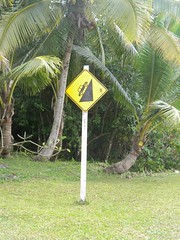
That Steep, Really...
Uploaded by toastfloats
I think the only thing more annoying than a Facebook friend who plays Farmville, participates in every poll, and feels compelled to Share every link in their feed, is a relative who insists that Facebook is the anti-christ, refuses to check their pages, and then whines that they have no idea what's going on in your life because you "don't write any more." Wake up and smell the bits, people. The letter is dead. Frankly, so is the phone. If you want to know what I had for lunch, by all means look it up. I have absolutely no privacy any more, but don't expect me to spoon feed you. This is a pull economy. If you want it, pull it down; I will never send it to you again. You should be thanking me for not filling your life with a monthly, landfill-worthy missive detailing the size of the growth on my nose and the length of the seaweed on Don Quixote's transom. It is so much easier to avoid my drivel now than it ever was before. Just get Facebook to stop displaying it. Oh wait… good luck with that.

Techies know Facebook is crap, hate the cascading absurdity of Facebook's privacy setting changes, and would like to put a gun to head of every Zynga developer and executive while forcibly requiring them to grow strawberries on a real farm surrounded in singing and dancing middle school students dressed as badly drawn mange characters. Nevertheless, it is foolish for us to believe it is going to go away or that we can convince our family and friends of the superiority of any other social network. What we need is time. In the list of great where are they now social sites, we have Orbit, LiveJournal, AOL, and -- perhaps most memorably -- MySpace whose decline and fall signals in my opinion one of the greater triumphs of form and function over sheer numeric dominance. Like Rome, the British Empire, and American Hegemony, Facebook will ultimately fail to be replaced by something even yet more inane and intrusive. 

As long as it includes a heads up display and lets me down vote the bitch who cut me off on the highway this morning, I'll be there.

Friday, April 08, 2011

Communication Plan for the Passage

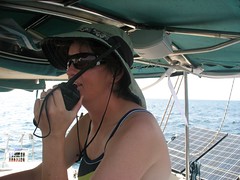
Jaime at the Mast
Jaime at the Mast
Originally uploaded by toastfloats.
A brief message from your author to let you know that even though we'll be transiting the Pacific, this blog will continue with its endlessly narcissistic accounts of the adventures of the cast and crew of s/v Don Quixote. To make sure that you don't miss any of this scintillating content, the following outlines our communication plan from April to October 2011.

Blog

Articles will appear through the next six months more or less on the same publishing schedule (twice weekly) to which you've become accustomed. However, there will now be three categories of articles:

* On the Go – We can post blog entries even from the high seas over our SSB radio/email connection. While we are passage making, I'll try to post at least a position update on a daily basis along with more extensive weekly reports on what we're doing and how we feel about it. When anchored in the islands, I'll continue with weekly articles about our experience. Unfortunately, due to bandwidth constraints, I will be unable to post pictures to most of these Coconut Milk Run articles until well after the fact. I will let you know when we get places where I can engage in wholesale uploads of images.

* Retrospective – In November 2010, I participated in NaNoWriMo. Actually, I participated in December as well though technically that's not the way NaNoWriMo works. I just kept writing until I hit 50,000 words. The result was roughly 50 articles, 30 of which I actually believe are worth editing into readability. I've queued the ones I like best to post once a week for the next six months. The articles speak to boat issues as well as our time in Mexico and New Zealand. Of course, I intended to prep these with pictures... but life intervened. More picturelessness. However, you can always head over to Flickr to browse for photos of that time frame.

* Ship Log – In February, we recommenced posting our captain's log. Historically, this is about as exciting a read as watching paint dry. Position and weather reports, equipment maintenance notes, provisioning status. *yawn* Just because it's an important part of being a sailor, doesn't make it very interesting. When the original log was stolen in New Zealand, we were incredibly glad I'd typed it up and posted it online. And oddly enough, very salty friends of ours over the years have told us they appreciate that highly factual window into our experiences as we travelled the coastline of North and South America. Perhaps, the details found there will prove interesting to cruisers considering a Puddle Jump in future years.

Comments and Replies

Sadly, we will not be able to regularly receive or respond to comments during the next few months. My sincere regrets and apologies for that. I enjoy the suggestions, support and input. Unfortunately, bandwidth is at a premium for this journey. Most places do not have connectivity, and those that do cost a fortune. However, sometimes we need your help. I've asked in the past for assistance and the reading/cruising community has come through with valuable information and even physical aid. We have arranged a shore-bound contact who will regularly read our blogs and the responses – both on the blog and on my Facebook account. Be assured that if I ask for ideas, information, or aid, this contact will relay your responses to us even if we're in the middle of nowhere.

Twitter

My original thinking was to the Twitter feed into two accounts so that the position reports would go somewhere else. Then I decided that was too complicated. It'll all spam toastfloats. The GPS points will duplicate content we post to YOTREPS. Our family and land-based emergency contacts relied on our SPOT tracking in the past, but unfortunately the SPOT doesn't have coverage in the middle of the Pacific.

Snail Mail


Really? You want to send packages? I don't think so. Let's not even pretend that's going to happen.

* * *

I think that about covers it. Please reply immediately if you have any questions. We'll be heading out in just another few days so this is your last chance to let me know we're insane.

Saturday, January 01, 2011

Communication on the High Seas (Part 2)

“Is that French?”
“Yeah, but I think it's Canada. Don't get excited. We're not there yet.”
~ dialog between two cruisers halfway from Mexico to French Polynesia


Lagoon Litter Box
Lagoon Litter Box
Originally uploaded by toastfloats.
In Part 1 of this series about Communicating on the High Seas, I talked about VHF. While good for short range, VHF is seriously hampered by distance and physical obstacles such as mountains, buildings, and cruise ships. For long range, we rely on our SSB.

Single Side Band (SSB) radio seems like an expensive and persnickity technology to add to your boat. I readily admit that for weekend cruisers – perhaps even for coastal cruising – an SSB isn't really a critical necessity. If you rarely leave sight of land and that land is the U.S., Canada, or other countries with extremely well deployed and powerful marine VHF radio networks, you can forego the hassle and expense. On the other hand, an SSB brings a few really nice advantages to the boat that even in the Pacific Northwest and Mexico, we on Don Quixote were very glad to have. For those planning longer, transoceanic journies, an SSB is about as non-optional a piece of equipment as radar.

Our ICOM802 has proven a solid, reliable addition to the boat. Other cruisers will swear by their brand or model. I can't speak to the comparative value in SSB models. I just know two really important bits about Don Quixote's radio:

It works.
It is load.

Loud in SSB terms is a Good Thing. Generally, it means that the unit is well-powered, the settings are configured correctly, and – probably most importantly – the unit is grounded properly and has a well founded antenna. Folks troubleshooting SSB radios say that grounding and antenna are the two most common issues with these units. I can't tell you how many stories we've heard about $1000 electronic paperweights revived by changing the connections someplace deep in the bowels of the boat. Troubleshooting an SSB is about the fastest way to go mad on a boat as comes immediately to mind.

Because of these known issues, DrC took two measures which he offers on the off chance that one or both are the magical sauce which blessed us with a loud SSB:

Copper Foil – He lined the entire port bilge with copper foil and connected it to the SSB ground.

Split Lead Antenna - I'll defer to Panbo this subject. DrC installed an Gam split lead antenna on the port side spreader. Again, don't know why or how, but our system works. This could be the mojo.

Now that you have an SSB, some pro with squinty eyes and leather skin installed it, and you've copper-plated the hull, let's talk about why an SSB is a must-have on Don Quixote.

Weather – You North Americans are so spoiled. I remember the days when we could just tune the VHF to the US or Canadian weather channel and get an up-to-date report on weather conditions. Not so much any place else. I bet Europe broadcasts weather, too... probably other folks as well. Mexico doesn't bother – even assuming you speak Spanish well enough to understand it – and obviously no one is keeping station in the middle of the Pacific. Fortunately, pretty much every report, fax, GRIB, and weather service is available over the SSB. What doesn't publish directly over the radio waves, you can subscribe to indirectly via a mail service such as WinLink or SailMail.

Email – Which gets me to my favorite SSB feature, electronic messaging. Drop yourself mentally back to the days of 2400 baud dial-up modems, and you can honestly say that your boat has “access” to the Internet. Text only, true. Yet, do not discount how useful it is to exchange messages with family, destination contacts, and the world. If you're clever, you can set up your blog, Facebook account, Twitter, and other social media to accept content from your SSB address, enabling you to continue to broadcast the contents of your lunch to all and sundry from the middle of nowhere.

News? In English?
News? In English?
Originally uploaded by toastfloats.
Cruiser Nets – Everywhere we've been or plan to visit, we have been able to participate in regular cruiser nets. These daily events serve cruisers as combined weather report, social opportunity, and safety net. Cruisers exchange information on conditions, arrange meetups, and coordinate passages. Where we personally found a net the most useful was during the hurricane season in the Sea of Cortez. However, Pacific Puddle Jumpers from prior years report that the PPJ net will become our lifeline during our months on the Coconut Milk Run. It surprises us not at all, and we're looking forward to sharing our experiences over the airwaves with our fellow jumpers.

Entertainment – And if all that were insufficient to convince you of the usefulness of an SSB, you can always listen to the radio as … yes... a radio. If you really want to listen to the news, you can. If you really want to.

Sunday, December 19, 2010

Communication on the High Seas (Part I)

“You can get Internet in the middle of the Pacific? No way!?” – Typical reaction when I post from the ocean

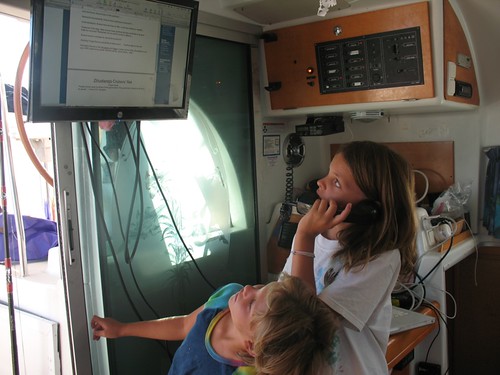
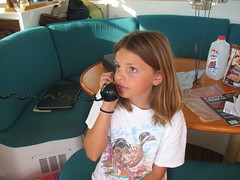
Give Em Sh* Mom!
Give Em Sh* Mom!
Originally uploaded by toastfloats.
Yes way. And at the same time, no... not really.

In a series of articles, I plan to discuss at length the various means that boats in general and Don Quixote in particular communicate with the rest of the world. We'll start this series with radios, in particular, the VHF.

Don Quixote is equipped with two forms of radio communication: VHF and SSB. VHF (Very High Frequency) radio is used for relatively short-range voice communication. It is used by local emergency services, for example, within a municipality. Essentially, VHF is good only for line of sight, though every once in awhile weather conditions will refract signal to our radio from up to 100 miles away.

We use the VHF primarily to communicate with our fellow cruisers and occasionally with naval authorities or other types of ocean travelers such as the big ass floating hotel about to run us down in the middle of the night. Somewhat illegally, we also use the VHF ship-to-shore with the hand held whenever we send crew off the boat and on to the dry. This leads me to a few recommendations for those preparing to cruise:

Security Measure – Do not stint on a good quality, high-powered VHF radio. If you can't tell someone your boat is sinking, you're going to be in a whole lot of water with nothing to hold on to and no one coming to your rescue.

Social Impact - The VHF is the cruiser party line. I don't mean beer and silliness, though there is some of that too. I'm suggesting that without a really good radio you will be completely cut off from the people who are your best resource for advice, assistance, and companionship.

Mirror to Helm - Make sure you can at least hear your VHF at the helm. If you can, put a radio at the helm as well as down below... and if you can only have one, the helm station is more important. When you are about to be run over by an asshat weekender, you don't want to release the helm to run below to yell at him over the VHF.

Handhelds - I recommend one or more handheld VHF radios. Walkie-talkies work, but they do not work nearly as well. I know that at $100 plus a pop, it may seem extravagant. I can't tell you, though, how many times we wished for more than the one we have. The scenario is mostly one of the family splitting up in town or on remote islands. DrC heads off to rummage for hardware, Toast to find the markets, the girls to locate ice cream and entertainment venues. Reliable communication is a boon in these situations.

Radio Protocol - Teach everyone on the boat to master the VHF. One afternoon up in Desolation Sound we listened helplessly over the VHF as the Canadian Coast Guard tried to talk sense into a woman whose husband was disabled – perhaps with a heart condition, hard to tell. It wasn't voyeurism, we literally had no choice. We were underway and so required to leave our radio on the dedicated marine channel... and she literally had no idea how to change channels. I didn't know whether to feel sorry for her or shake both her and her husband until their teeth rattled. She had no idea how to operate the boat or the radio, read the GPS, or describe her vessel. Don't do that to your crew. Even underage crew can become radio experts. Aeron was running net control down in Zihau at age 7.

Family Channel - However, this scenario of everyone in the crew with and on the radio leads to another tip, the family channel. The VHF spectrum in the nautical world consists of roughly 30 channels accessible for receive and transmit by most marine radios. Of those, no small fraction are dedicated to a specific, single purpose. For example, in virtually all U.S. waters Ch. 16 is used exclusively by nautical authorities and for ship-to-ship hails. A private yacht monitors Ch. 16 but rarely uses it except to signal intentions to nearby vessels and to hail authorities or other boats. On establishing contact with another boat, you must immediately switch channels. Authorities will direct you to another channel, but it's a good idea to have a number in mind in advance when calling your own crew. There are two reasons for this: First, getting both parties to actually hear a number on a busy channel can sometimes be surprisingly difficult. Second, you might not want the entire anchorage following you and your spouse as you switch channels to argue about what to have for dinner that night. The girls, in particular, attracted lurkers... benign, loving and friendly fellow cruisers who just enjoyed their piping voices and ridiculous requests as we'd head off to another channel to discuss whether or not they could have their third ice cream for the day. Agree in advance that the family always switches to 72 or 68 or ... pick your channel. Program it into your radios as a favorite. Then when you hail family, just say, “Switch to the usual” and off you go. Pick a channel way up there out of the way of most local traffic.

* * *

One of our greatest pleasures in Mexico was watching the kids – ours and those from other boats – blossom into radio experts. VHF protocol teaches us all how to respect and listen, choose our words carefully, and communicate clearly and precisely. Use your radio as a teaching tool and trust that you'll never regret spending the extra money on this particular piece of equipment.

The Girls on the Net
Originally uploaded by toastfloats.

Friday, December 03, 2010

Registering for International Service and Rescue

SSB Station
SSB Station
Originally uploaded by toastfloats.
UPDATE 7/12/2010: Incorporate comments from readers.
Virtually every country on the globe with navigable waterways has a maritime search and rescue service of some sort. Larger nations with highly capable navies and marine services offer considerable protection and support to the vessels traveling in and near their waters. An important part of preparing yourself for cruising is to enable your vessel to communicate automatically to these services, particularly in emergency situations.

First, a few acronyms and definitions:

Digital Selective Calling (DSC) – A designation under the GMDSS “primarily intended to initiate ship-to-ship, ship-to-shore and shore-to-ship radiotelephone and MF/HF radiotelex calls. DSC calls can also be made to individual stations, groups of stations, or "all stations" in one's radio range.”[1]

Federal Communications Commission (FCC) – The United States federal agency responsible for registering and maintaining radio communication licenses.

FCC Registration Number (FRN) – A unique number used by the FCC to identify license holders. This abbreviation is used synonmously as the username on the FCC web site. The idea is that a single FRN can be used to register multiple radio operators and devices. If you already have a HAM and/or operator license, you probably were prompted to register with the FCC. At that time, you would have been assigned an FRN. If not, the first step is to go to register on the FCC web site and obtain an FRN.

Global Maritime Distress Safety System (GMDSS) -- “An internationally agreed-upon set of safety procedures, types of equipment, and communication protocols used to increase safety and make it easier to rescue distressed ships, boats and aircraft.”[2] While small craft are not required to maintain radio equipment capable of participating in the GMDSS, it is a very good idea to do so anyway. Most SSB radios include DSC capacity which enables them to participate in the GMDSS.

Maritime Mobile Service Identity (MMSI) – “A series of nine digits which are sent in digital form over a radio frequency channel in order to uniquely identify ship stations, ship earth stations, coast stations, coast earth stations, and group calls.”[3] For US flagged vessels, you can register with a third-party such as BoatUS for an MMSI valid for coastal waters in the United States. However, you must register with the FCC when taking your vessel outside U.S. waters.

SA – When you register a wireless device with the FCC, you must select a radio service type. An SSB radio on a recreational vessel is considered a Maritime Mobile device of the category “SA – Ship Recreational or Voluntarily Equipped”. According to the FCC “Smaller ships used for recreation (e.g., sailing, diving, sport fishing, fishing, water skiing) are not required to have radio stations installed but they may be so equipped by choice. These ships are known as "voluntary ships" because they are not required by treaty or statute to carry a radio but voluntarily fit some of the same equipment used by compulsory ships.”[4]

Universal Licensing System (ULS) – An online tool maintained by the FCC for the purpose of using “any PC with Internet access to research, manage, renew, and pay any applicable fees for your wireless licenses through a password-protected account.”[5] The FCC site is, to be blunt, very poorly organized. Use this link to go directly to the ULS home page. Typical of most cruisers, Don Quixote's ULS account includes: the captain's radio operator license, our HAM and SSB call signs, and our international MMSI.

The two principle methods used by cruisers to communicate distress automatically are an EPIRB and the emergency signal issued by an SSB radio. An Emergency Position-Indicating Radio Beacon (EPIRB) is a dedicated device which broadcasts a maritime distress signal. As of February 1, 2009, all EPIRBs carried by U.S. flagged vessels must transmit at 406 MHz, as satellites no longer receive transmissions at 121.5 MHz. BoatUS provides an excellent guide to how an EPIRB functions. A single side band (SSB) radio can transmit a digital signal call. Both of categories of device communicate with the Cospas-Sarsat satellite monitoring system. The system is monitored both domestically and internationally by maritime rescue services.

To take full advantage of publicly available search and rescue services, you must register your emergency beacon and obtain an MMSI. EPIRB and SSBs broadcast a the MMSI to the satellite monitoring system. Since in an emergency, you might not be able to follow up these signals with a call to explain who you are, how many passengers are on your vessel, and what you look like on the water, you must register your devices in advance with this information. In many countries, you can register your device domestically for free. If you plan to spend a long period of time in a single country, it is a good idea to do the research to identify and register with these agencies. For example, in the U.S. you can register your beacon with BoatUS. In New Zealand, you can't register a U.S. device, but you can contact them and they will “keep an eye open” for your beacon. The agency is the Rescue Coordination Centre New Zealand (RCCNZ). I envision this as “a guy” with a stack of email messages next to a radio receiver. It sounds ricky ticky, but the RCCNZ is reknowned for saving people and boats; So however they do it, the system works.

Mera Monitoring the Net
Originally uploaded by toastfloats.
Unfortunately, registering with individual countries does not provide you with comprehensive, global coverage. Vessels which travel in international waters must also contact their domestic communications agency to register for an international MMSI number. Obtaining an international MMSI number ensures that your vessel is included in the International Search and Rescue database. The theory is that this database is maintained throughout the world. If you happen to have an emergency in the Tasmin Sea, both Australia and New Zealand will be able to know from your EPIRB or SSB signal the name and size of your vessel, your emergency land-based contacts, your emergency equipment, and the number of passengers routinely onboard.

The process of registering your emergency devices is fraught with the usual challenges and frustrations associated with government agencies. Everything that follows from this point applies to U.S. flagged vessels only. Readers with vessels flagged in other countries must do the research for their domestic requirements.

Steps to Register Your Emergency Beacon

1. Gather the following:
- FRN username and password – If you do not already have one, go to the ULS home page and register.
- Credit card
- EPIRB identification number – This number can be found on the side of an EPRIB device.
- A computer with a connection to the Internet and either Internet Explorer or Firefox web browser

2. Browse to the ULS home page and log in with your FRN and password.

3. Apply for a new license. As of the time of this writing, the link to apply for a new license is found in the left column.

4. Complete the form as prompted. Note that your vessel is a category SA radio service, you do not already have an MMSI (even if you've registered for a free one with a local service such as BoatUS or RCCNZ). The objective is to associate a new MMSI with your existing EPIRB and ensure that it is registered in the International Search and Rescue database.

5. Pay for the application. As of November 2010, the fee for registration is $160USD.

6. Monitor the ULS until your application is approved. Then print the resulting license. This process can take 10 days to 3 weeks. In our case, it took two weeks.

[1]"Global Maritime Distress Safety System: DSC." Wikipedia, the Free Encyclopedia. Wikipedia Foundation, Inc. Web. 17 Nov. 2010.
[2]"Global Maritime Distress Safety System." Wikipedia, the Free Encyclopedia. Wikipedia Foundation, Inc. Web. 17 Nov. 2010.
[3]"Maritime Mobile Service Identity." Wikipedia, the Free Encyclopedia. Wikipedia Foundation, Inc. Web. 17 Nov. 2010. .
[4]"FCC: Wireless Services: Ship Radio Stations: About." FCC: Wireless Telecommunications Bureau. Web. 17 Nov. 2010. .
[5]"FCC Universal Licensing System (ULS): About ULS: Getting Started." FCC: Wireless Telecommunications Bureau. Web. 17 Nov. 2010. .

Sunday, March 21, 2010

Step 1 - Get a Phone

[Editor's Note] Better late than never... I'm finally going to post our "Moving to New Zealand" series. It's 8 or 9 steps which I'll publish more or less in sequence over the next month or two though the events that inspired them were smushed more like into three weeks. I'll probably intersperse these with more interesting and personal stuff since the series is rather drier and more practical than is truly my nature. If you want to read the series all together, I'll give them a single "moving" tag.

Lounging About
Lounging About
Originally uploaded by toastfloats.
When we dismantled our lives in Seattle, we were forever astonished by how many strings we left trailing behind. It seemed that for months random charges, irate emails, and miscellaneous to do's appeared out of nowhere like urbanized black magic sprinkled through our days. For those considering dropping out, going for a walk about, or otherwise escaping the Real World, I'd like you to first adventure with me on a little thought exercise.

I want you to pretend for a moment that the companies with whom you routinely do business are actually toddlers -- strong willed, very healthy, robust toddlers dressed in company colors with appropriately logo'd baseball caps. Each company more or less only reaches to your waist. Since very few can jump high enough to grab you in a stranglehold, abandoning them to the wolves in the forest merely requires a hard heart and pair of ear plugs. Sometimes, it's easier if you leave a basket of food behind. For example, you could simply pay a small discontinuation fee on an account or forego getting your money back on a security deposit which distracts the toddler-company long enough for you to get offshore and out of reach.

A few of these toddlers have big brothers who can and will turn you upside and shake until the gold in your fillings drops out of your mouth. To escape, you need to identify these lien holders early on and get them paid off. Make sure you have their assurance in writing that your presence is no longer necessary for their happiness and well being. While we were bobbing on the hook in a wild anchorage of northern Vancouver Island, we had one bank chase us down and try to foreclose on a piece of commercial real estate for the sin of not being physically where they expected us. These people you do not want to screw with. Best to make them go away in advance.

But with persistence and a long knife, you can and will be able to cut nearly all strings that tie you to the daily world of bills, mortgages, payments, subscriptions, auto-transfers, annual fees and the lot. The rest you give to your mommy and say, "Take care of it."

Then you leave.

Great, but now we're trying to reenter the regular world and are finding it takes nearly as much work to get yourself reestablished as it did to cut the ties to begin with. First, while we have grown and matured during the intervening years, the companies with whom we do business are still whiney, spoiled toddlers. Those who actually remember us from the good ole days are whiney, spoiled, vengeful toddlers. The rest are merely annoying and petulant.

As we reengage with civilization, we discover the world is full of Catch 22 loops such as the following:
* At most New Zealand banks, you can not open a bank account unless you have a permanent address.
* Most New Zealand rental properties will only accept a draft on a New Zealand bank account for your bond and first week rental payment.

Like that? How about this one:
* You can't get a visa until you have a job.
* You can't apply for a job until you have a visa.
Hmm.

Okay, not good enough? Try this one:
In New Zealand, they assume you have -- at some point in your life -- purchased electricity. So when you wish to turn on the lights at your new home, the first question in the online form is your account number without which the form literally will not progress. And what happens when in desperation you call the company... because gee... you don't have an account number? The automated friendly phone voice also prompts you for this same account number without which she dooms you to a virtually unending purgatory of musak until one of the electrical company's three live customer representatives gets back from tea.

The trick is the work around. The work around inevitably costs more money. Budget for your reentry to the world on the assumption that it is going to take more time and cost more than you currently anticipate by at least 10% in both cases.

Hatching Jaime
Hatching Jaime
Originally uploaded by toastfloats.
We discovered that when all is said and done, the first thing you must do to get reintegrated into the regular world is to buy a phone. Without a phone number, you can literally do nothing. There is something about those mystical audio digits that confers "realness" in a way that bank drafts, passports, and work contracts do not. It also turns out that getting a phone number these days is about as dramatic a process as picking up a pair of new shoes. Wander the mall, look at the various models, select one, buy a SIM card, load it up with some money. They don't ask for your phone number (don't laugh! … By the time we arrived at the "buy phone" conclusion, we fully expected the store to require a phone number for us to get a phone number…). They don't even require that you give them your name. Drug dealers must love this.

So in addition to our preference for fast boats, sunny climates, and the avoidance of real work, cruisers have another thing in common with drug dealers… we like unregistered phones. It took us 72 hours to come to the Buy Phone conclusion during which we were quite literally unable to get anything useful done. Now we have a really dodgy piece of Sony Ericsson crap and a cellular phone number with a weird number of digits that make no sense.

Moving on…

Wednesday, July 22, 2009

For Those Playing Along

Okay, we're leaving Santa Rosalia now. For those who want to either stalk the Congers or invite us over for dinner – and assuming those are not one and the same – you can follow our land travels in a number of ways:

Twitter – Whenever we are able to connect to the Internet, I will tweet our location. At least for the first week, I will not have access to a cell phone so the updates are likely to be sporadic. Once reconnected with DrC and Jaime, however, we should be able to tweet our location regularly via their cell phones. I'll set it so that @toastfloats tweets go directly to DrC's phone.

S.P.O.T. – I'm going to take the S.P.O.T. with me for safety reasons. I'll try to keep tracking turned on when we're moving or at least remember to mark where we stop.

The plan is for Mera, Aeron and I to spend about a week driving from Santa Rosalia to a wedding just north of Sante Fe, New Mexico. We're taking our time to give Dulcinea a chance to adapt as well as to take it easy on my back. I don't really want to drive more than a few hours per day. We'll be crossing the border in Tecate so San Diego folks will have to wait. We plan to by-pass Phoenix as well unless someone can give me a really compelling reason to go that way.

After the wedding, we pick up Grandma Sue and start hopping all over the southwest. We'd like to visit the Grand Canyon, Bryce, Zion, Navajo National Monument, Yosemite, and Mammoth before heading up to Sacramento. We'll also visit college towns about the size of Chico and Humboldt State so if folks know of nice college towns on our basic route, please send me the information. “College Town Life” might be phase 15 of the long term Dean and Toast Life Trajectory.

I'm a little fuzzy what happens after that. I'll let you know. Planning that far ahead gives me a headache. We do eventually have to make our way back to Mexico which will no doubt involving swinging through San Francisco, Long Beach, Los Angeles and San Diego sometime in September. Again, we're always looking for places to mooch a back yard for our tent and a flush toilet. If you're volunteering, please let me know.
Painted Backdrop
Painted Backdrop
Originally uploaded by toastfloats.

Saturday, May 23, 2009

TechTip: YOTREPS

Short Answer
It's a pain in the neck, but go ahead and set up your YOTREPS account.

Long Story
So I have to admit a painful secret for a cruiser – I find the SSB (single side band) radio seriously annoying. I do not gain any pleasure dialing into the morning Amigo or Chubasco cruiser nets and listening to the checkins and weather. The hiss and pop and static make it impossibly challenging to listen to, and I find Don (who does weather every morning on Amigo Net) more than a little frustrating all by himself.

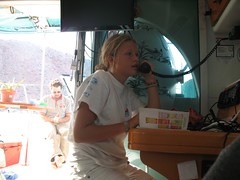
Jaime on the Radio
Jaime on the Radio
Originally uploaded by toastfloats.
But those irritations are actually minor compared to my single biggest beef with SSB systems: the software. Unless I'm missing something, all the software written to connect laptop computers to the SSB were written sometime prior to Windows 95. To a woman steeped in user interface design and super-satured with the daily tactile pleasure of working on a MacBook running Leopard, applications like AirMail, ITS HF Propagation, and WeatherFax are jarring, almost painful experiences. Put these horrid, kludgy ports on Microsoft Vista Home Premium and you have a perfect storm of endless frustration and viscerally disappointing moments.

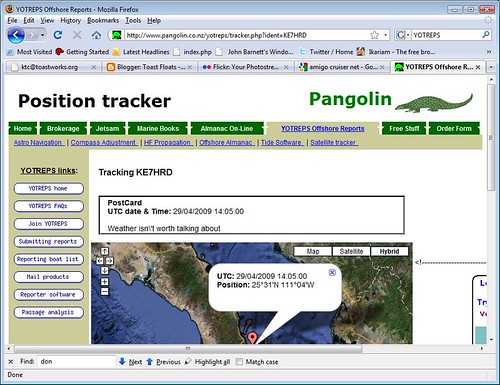
And to make it all worse, you're supposed to use these tools connected in some great network on the air waves to send reports to probably the earliest social network site ever built: YOTREPS. YOTREPS collects the position and weather reports from boats all over the world, sharing them for the public, weather routers, and fellow cruisers. It was built and deployed in the dark ages and as near as I can tell, hasn't been upgraded since HTML 1.0.

I'm sure that circa 1992, YOTREPS plus SailMail plus an ICOM SSB and a Pactor modem were nothing short of miraculous. I have no doubt that at the time, cruisers must have been in heaven. Here was a tool which quickly and relatively painlessly posted to a public web site your latest position. AirMail even has a form built into the interface to prompt you for your position and weather information which it then converts into the text report required by the web site. It must have seemed the height of technology, pushing cruisers to the bleeding edge. In a world driven by Facebook, Twitter, and Flickr, however, this system is not just antiquated, it's comical.

So why am I going to recommend to cruisers-to-be that you invest the time and energy in getting and maintaining a YOTREPS account? Because YOTREPS adds a valuable piece to the communication puzzle. SPOT is a much better tracking system, but it doesn't work in the middle of the ocean. Twitter is a much better way to communicate to your friends and family what you are doing and works perfectly over SailMail, but it doesn't have a map to enable folks to easily track your progress. Finally – and most importantly – YOTREPS is still widely accepted as a resource for weather routers and meteorologists to obtain real-time data about conditions on the high seas. I put YOTREPS in the same necessary evil category as pooper scoopers and mammograms.

Our own communication plan relies on combining the three services: SPOT, YOTREPS, and Twitter to provide a constant stream of information back to the people who worry and care. Now I'll grant you, we may be getting a little carried away with all this tweeting and posting and reporting, but at least there is very little chance anyone will lose us is in the stunningly beautiful wilderness down in the Sea of Cortez.
YOTREPS
YOTREPS
Originally uploaded by toastfloats.

Wednesday, July 23, 2008

Experimental Community Building

I've been going back and forth on whether to install a comment aggregator and if so, which one. I've been looking at disq.us and Intense Debate. Today, we'll go with Intense Debate and see if this works for everyone. The idea is that those who comment regularly develop their own voice and audience. By aggregating comments, we can "own them". It let's you track an interesting commenter across multiple sites as well as find other places and topics to which they contribute.

For example, I'd enjoy blog stalking protectedstatic, singularity and Laureen as I generally find their comments insightful and/or amusing.

And if it doesn't work, I'll go back to the old way of doing things.

TechTip - Animated Photo Sets

This is not fancy, but I've been listening to too much TWiT. While I have unlimited Internet access, I can't help but play with some of the picks from MacBreak and net@nite. Today, I was messing around with Animoto. This is a quick way to make a professional video presentation out of a bunch of slides. The 30 second version is, IMHO, too short. Go for the longer format after you've had a chance to use it once or twice.

Tips:

* Set up a separate flickr set before you log in to Animoto.

* Alternatively, use photos directly from your computer. You'll get higher resolution and a better final product.

* Get your own music. They have a lot of good stuff but I took forever picking one out and I still don't like it.

* Prepare to be sucked in like a vacuum for a few hours.

Wednesday, June 25, 2008

TechTip - Skype

Self Portrait
Self Portrait
Originally uploaded by toastfloats.
Short Story
Most cruisers budget $100 to $200 per month to communicate with friends and family back home. Charges go towards Internet, cell phones, land phones, and other Internet service charges. One major way to cut costs is to install and use Skype, particularly the International calling plans for SkypeOut.

Long Version
There is no cheap way to get Internet access everywhere, but you can get it often enough as a cruiser that investing some time and money into setting up services to take advantage of all that the Internet has to offer is worthwhile. For Don Quixote, our best move thus was to invest in a good head set and web cam to enable us to use Skype.

Skype is essentially telephone on the Internet. There are a million outstanding articles explaining how to install and use Skype. Google Skype. Read the Skype web site for that matter. If you’re a cruiser sitting on the fence on whether to invest in the extra hardware, here are a few more compelling reasons to spend time and energy getting yourself up and running on Skype:

Skype to Skype calls are free no matter where you are located. Get your family set up before you cut the lines. Macs come fully prepared with everything you need. You’ll probably need to purchase a head set or web cam for your family members still relegated to Windows. Experience with our family tells me that you want to do this yourself. They will never figure it out on their own. Make it your last birthday or Christmas presents before you leave.

Skype includes video. When you cruise, your parents are convinced your boat is in the middle of nowhere even when you’re on a dock in Victoria Harbor in the shadow of the Empress Hotel. Live action video of your children hamming it over over the web cam goes a long way to convincing them otherwise.

Skype audio works even with gimpy connections. We’ve had the opportunity to test Skype under a variety of really crappy conditions. While the video is sometimes lousy, the audio is just about always solid. For example, in Nanaimo when we were all the way across the harbor in Mark Bay with a 14% (one bar) signal, we could still conduct a conversation. I continue to be surprised by the sound quality.

SkypeOut international is extraordinarily cheap. SkypeOut is the features that enables you to use your computer to make a call to a land line telephone just about anywhere in the world. We routinely call mechanics, our chandlery, and our rigger in the United States from Canada. The cost is $.021a minute. It varies by country but the price never comes close to a comparable cell phone or land line charge. If you SkypeOut enough, you should seriously consider their subscription plans. Even their premium International SkypeOut unlimited is only $9.95/month.

Skype is no substitute for having a working cell phone. As much as I hate to do it, we’re going to keep a cell phone on our budget. We use the pay as you go, disposable “drug runner” phones you can get at any drug store or airport. But, with a little planning you can offload almost all of your calls to those times when you are also taking care of your Internet business, and thereby shift virtually all of your call time to the price point of “free”.

Thursday, March 20, 2008

Questions from the Class - Connecting to the Internet

Question: In Episode 522 of the Daily Giz Wiz, Dick asks Leo, “Is she connecting to the Internet via satellite?” Leo and Dick speculate for a moment before Leo verbally throws up his hand and says, “That's a good question.”

Shooting the Marina
Shooting the Marina
Originally uploaded by toastfloats.
Answer: Yes, it is. Connecting to the Internet from a boat can be tricky. While the process gets easier and cheaper as technology advances, we still must deal with the challenge of connecting something land based to something floating around in the middle of nowhere. Even the most shore-fixated boat is rarely connected to anything more substantial than a dock cleat. How you get online depends on where you are and what you need to accomplish: On shore you do your bulk, multi-media transfers; In or near a marina you conduct daily business with short posts, blogs and overnight downloads; Out in the middle of nowhere you connect for safety reasons.

On Shore
– Cruisers are the ultimate road warriors when it comes to on shore connectivity. The crew of s/v Don Quixote grows increasingly adept at finding free wifi hot spots in the oddest spots. For example, did you know that you can sit outside of most Apple stores on a comfortable mall bench and mooch broadband? Starbuck's service is great now that all you have to do is purchase a latte. Of course, virtually every small coffee shop in the country now trumpets free wifi. Other great places to pull bits include: public libraries, rich homeowners with more money than security sense, and cool Internet hippies with “Hack the Planet!” and “All Your Base Are Belong to Mine” bumper stickers in their apartment window.

If you can't find it free, you can usually find some place to pay for broadband. McDonald's has their own network which means there is wifi access literally everywhere in the world; Unfortunately, it costs money, smells like old fry grease, and the children's screams can drop elk in their tracks. Most hotels have a net they'll let you use for a small fee, and you can always count on a copy place like FedExKinko's.*

“Internet cafe” is a redundant term in the U.S. where every cafe has Internet access. However, in other countries, this is precisely what you find – shops whose primary purpose is to offer broadband service. And “Oh... would you like a cerveza with that?” We've had little reason to seek out these types of establishments as we haven't yet ventured beyond the shores of the U.S. and Canada, but it's only a matter of time. We're very happy to hear the reports from other cruisers that these establishments are flourishing in every corner of the world.

In or Near a Marina – As with coffee shops, it has become standard for marinas to broadcast wireless service out over their harbor. Most subcontract to ISPs which provide coverage for a wide swath of coastline. For example, we currently subscribe to BBXpress broadcasting from most major and minor ports throughout Oregon, Washington, and southern British Columbia. You can subscribe daily, monthly or annually. They even have a reciprocity agreement with a provider down in California so it's not likely we'll need to look elsewhere until we cross into Mexico.

Using a marina service, it is a very good idea to invest in a card and/or antennae to extend your range and increase the power of your laptop card. We recently purchased an Edimax card from Urwifiguy. Look, you can clearly buy more powerful sets, run line up the mast, and make the whole thing bullet proof. I'd argue, though, that tech changes so fast you are probably better off buying a cheap, adequate set today and upgrading to another, better version in 18 months. You'll still spend less than the “marine hardened” brands.

Out In the Middle of Nowhere
– There are really expensive things you can do to get a high speed connection to the Internet while you're bobbing out in the middle of nowhere. These solutions are highly appropriate for the merchant marine, the military, and people with more money than god. They are not particularly useful or affordable for the rest of us. Moreover, spending the money isn't really necessary. Something like 95% of a cruiser's life is spent bobbing at an anchorage where a little elbow grease and a good war driving antennae will get you decent service from the comfort of your salon.

The Key to Good Communication
Originally uploaded by toastfloats.
So for those odd passages and occasional times where you really must connect while out of reach of somebody else's wifi router, the solution is SSB, a Pactor modem, and a crappy piece of Windows software which hooks you up to AirMail. While the bandwidth is absolutely bad by modern standards (2200 kbps is a good day), the computer <=> modem <=> radio option works well enough to send and receive critical messages and to download weather data. We are just starting to use our rig, and the thing more or less makes me want to take out a hammer and go postal. The only method I've found to endure the limits of the WinLink software and glacial speed is to pull out a bottle of red wine and disappear into my cabin until the damn thing is done. We plan to use radio mail to send a daily position and status tweet to Twitter or Jaiku and otherwise pretend it doesn't exist.

There is also good news on the horizon for those who, like me, hate paying monopoly rates to SCS Pactor for their proprietary protocol. Open source alternatives to enable radio to Internet communication are beginning to spread. I am watching with great interest the growth of both Xastir and PKSMail. Someday, I may pitch this Pactor modem overboard and just get my Mac to cozy up directly to the SSB.

* * *
The bad old days of cruising families disappearing into the sunset ne'er to be heard from again are long gone. If you want to exchange tweets with friends and family, daily connectivity is within the reach of any moderately well heeled cruiser. And there is something to be said for sailing into harbor, grabbing a beer and a bowl of chips, and gorging on Diggnation, Wait Wait... and MacBreak Weekly all in a single sitting.

* Is there are more sad attempt at a merged logo than FedEx Kinko's anywhere in corporate America?